Friday Finds, where I find inspiration in the world around me
This morning I was flipping through the "Letters" section of the April 2014 edition of National Geographic, when I came across this amazing word art by Kirsten Huntley. Look how the words form the shape of a cougar. I thought it would make a great inspiration piece for my Friday Finds blog post.
You need two key things to make a card like this. A die cut or large punch shape and its negative and a word stamp set that has related words to create a theme. I chose a butterfly from the Beautiful Butterflies Bigz Die to be my main image and I chose the "Another Thank You" photopolymer stamp set for this technique because it has thank you in many different fonts and sizes.
Rhinestone jewels provide the only bling on this card. For instructions on how to make it, keep scrolling down. Find out the rest of the supplies you'll need and where to get them
HERE!
Masked Word Art Tutorial
Step One
1. I started with a large post-it note (I cut part of the post-it off, so that it would fit on the die better). I put the sticky end of the post it note near the top of the butterfly I would be cutting. Then I ran the die through the Big Shot. Save both the negative and positive pieces of the post-it note.
Step Two
2. I cut a piece of 5" x 3-1/2" Whisper White Card Stock to stamp on (you could also choose to stamp directly on the note card). Position the butterfly post-it note on the card stock exactly where you want the butterfly image to end up. The sticky part of the post-it note should help to keep the butterfly from shifting. Note: I used the positive image of the die just for positioning. It is removed before the stamping begins.
Step Three
3.Put the negative part of the butterfly post-it note over top of the butterfly, lining it up so it fits precisely.
Step Four
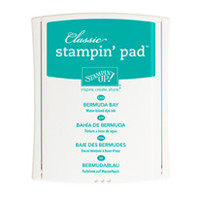
4. Remove the inner butterfly post-it note. Start stamping Words from the "Another Thank You" Photopolymer Set. Use your darker ink for the words (I used Bermuda Bay Ink here). The great thing about using photopolymer for this technique is that you can see exactly where you'll be stamping.
Step Five
5. Keep Stamping words until the entire space is covered. Note: As in the cougar inspiration above, I tried to stamp many of the words so they only partially appear. I also used the heart to fill some of the smaller spaces.
Step Six
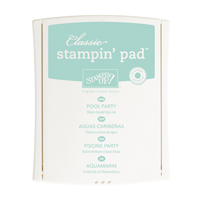
6. Sponge the lighter ink over the entire butterfly with a sponge dauber (I used Pool Party Ink here). Remove the butterfly mask and finish off by stamping "thanks" one more time beneath the butterfly and by adding some Rhinestone Jewels. I then mounted my front panel on a Whisper White Note Card. Happy Stamping!
Stampin’ Up! Supplies
click on the product for price and details
Thanks for visiting!! I love reading your comments!!







These are beautiful cards!! LOVE them!
ReplyDeleteWonderful cards and great tutorial…will have to try this out. Thanks.
ReplyDeleteGreat post! Thank you for the inspiration!
ReplyDeleteWhat a great idea! Thanks for a great tutorial!
ReplyDeleteReally lovely idea...thank you for the tutorial and wonderful inspiration!
ReplyDelete